










No Shortcuts. Just a Proven Shopify to HubSpot CMS Migration Process
This isn't a quick export. We break down the migration in clear phases
Understand your existing CMS landscape.
- Review themes, templates, and custom page structures
- Identify plugin-driven functionality and dependencies
- Audit forms, tracking scripts, and third-party tools
- Assess SEO performance, rankings, and indexed URLs
- Define what should be retained, replaced, or improved
Replace plugin-heavy setups with native CMS components
- Translate native CMS themes into HubSpot templates and modules
- Redesign layouts to reduce reliance on custom code
- Define global sections for navigation and shared elements
- Plan a clean URL structure and redirect strategy
- Align CMS structure with future content needs
.webp?width=327&height=250&name=Solving%20Data%20intake%20(from%20all%20demand%20sources).webp)
Validate the approach before full-scale migration
- Set up a HubSpot CMS sandbox or staging environment
- Build core templates and commonly used modules
- Migrate a sample set of pages and blog posts
- Test content editing, SEO metadata, and internal links
- Lock migration patterns before production work
Rebuild the site without WordPress overhead
- Recreate page layouts using HubSpot CMS modules
- Migrate blog content, pages, and media assets
- Rebuild forms and lead capture flows natively
- Implement analytics, consent, and tracking scripts
- Run continuous QA throughout execution

Ensure stability, search parity, and performance
- Verify content accuracy and layout consistency
- Validate SEO elements and redirect coverage
- Test forms, notifications, and CRM routing
- Check responsiveness across devices
- Optimize speed and page performance
Hand over a site that’s easy to manage
- Train teams to publish and update content confidently
- Document templates, modules, and workflows
- Set roles, permissions, and governance standards
- Provide post-launch support and monitoring
- Decommission WordPress hosting and plugins
Full-Stack Shopify to HubSpot CMS Migration
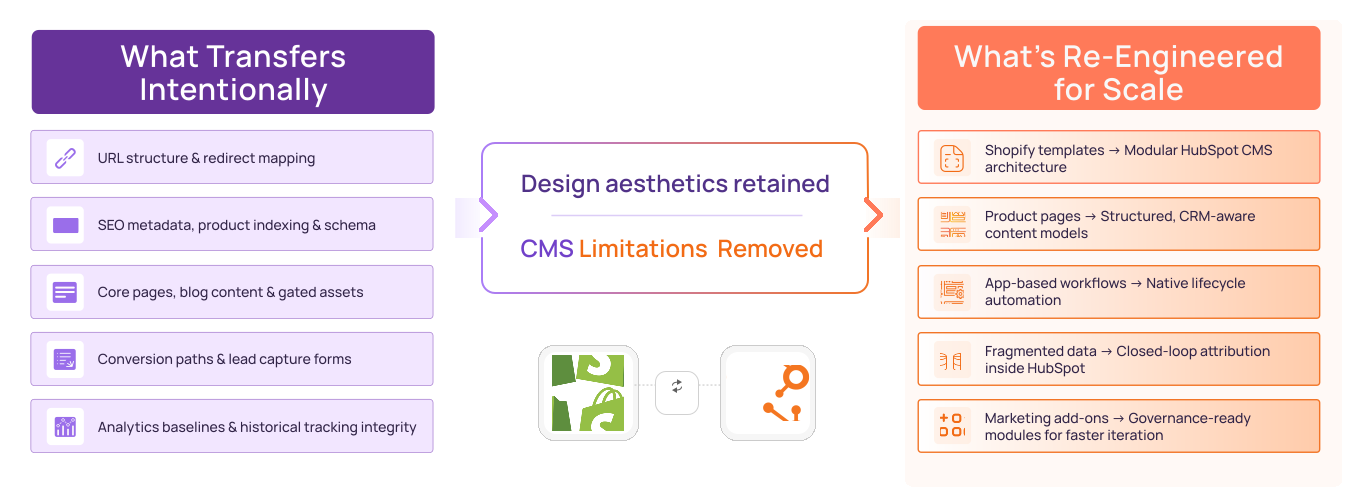
We break down your Shopify setup - templates, collections, apps, tracking and reconstruct it in HubSpot as a structured, modular CMS. Cleaner architecture. Native automation. CRM-aligned data. Built to scale without plugin dependency.
Our Frequently Asked Questions
The cost to migrate Shopify to HubSpot CMS typically ranges between $8,000 and $25,000 depending on whether the migration includes content-only pages or a hybrid storefront setup. Marketing-page migrations cost less, while headless commerce integrations require deeper redevelopment and API connections.
A Shopify to HubSpot CMS migration typically takes 4 to 10 weeks depending on the number of content pages, product templates, integrations, and CRM workflows involved. Hybrid storefront implementations may require additional integration and testing cycles.
HubSpot CMS is not a full e-commerce engine like Shopify. Most Shopify to HubSpot migrations involve moving marketing pages and blogs to HubSpot while retaining Shopify for checkout and product management. In advanced setups, a headless architecture connects Shopify’s backend with HubSpot’s front-end experience.
No, product SEO rankings can be preserved if URL structures, metadata, schema markup, and 301 redirects are properly implemented. When Shopify remains the commerce backend, product URLs are usually maintained while content pages are migrated to HubSpot CMS.
Businesses migrate from Shopify to HubSpot CMS to gain stronger CRM integration, B2B marketing capabilities, and revenue attribution visibility. While Shopify focuses on transactions, HubSpot CMS enables deeper lifecycle tracking and automation-driven growth.
HubSpot CMS is typically better than Shopify for B2B marketing websites because it integrates natively with CRM, automation workflows, and attribution systems. Shopify excels in transactional commerce, while HubSpot CMS is designed for content-led lead generation and revenue alignment.
Yes, Shopify blog posts, categories, tags, and media files can be migrated to HubSpot CMS. Content is rebuilt using structured templates that improve SEO structure, governance, and long-term scalability.
Yes, Shopify forms and most lead-capture apps can be rebuilt using native HubSpot forms and workflows. Marketing automation and CRM routing are handled directly inside HubSpot instead of relying on third-party Shopify apps.
Yes, Shopify to HubSpot migration can be executed with minimal downtime. Marketing pages are rebuilt in HubSpot staging and launched after validation, while the Shopify store can continue operating independently during the transition.
Common risks include improper redirect planning, product URL conflicts, broken checkout integrations, and incomplete CRM tracking setup. These risks are mitigated through structured audits, integration testing, and staged deployment before go-live.
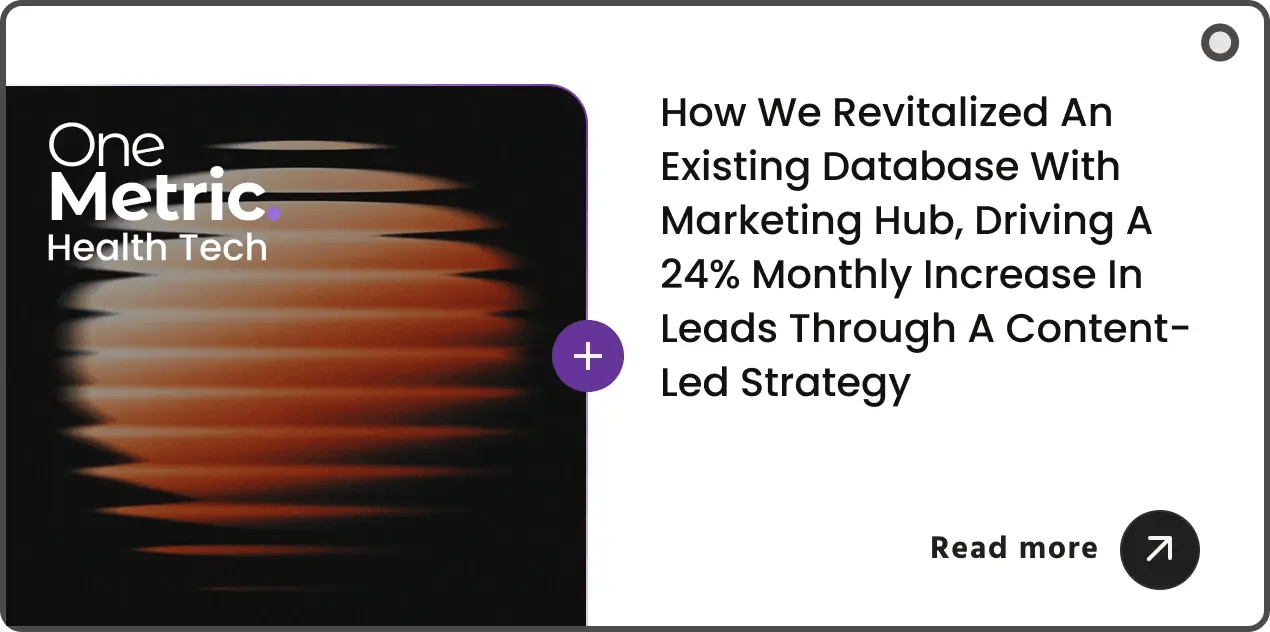
Here's a quick case study :)

As a solo marketer, I needed a team that could not only set up the technical side of things but also help me think strategically—OneMetric delivered on all fronts. They completely revamped our HubSpot CRM and marketing automation, making it possible for me to work more efficiently and focus on the bigger picture. Their guidance in shifting towards an ABM strategy has been invaluable, allowing us to tailor our marketing more effectively. From creating a sleek newsletter design to building out insightful reporting, they’re always thinking ahead. If you’re looking for a dedicated, hardworking team to level up your marketing efforts, OneMetric is your go-to!
Julie Taylor
Head of Marketing


Relatable? We should definitely talk.
All that we’ll cover when we speak:
- Opportunities to increase the ROI of your HubSpot investment
- Your current GTM motions and future roadmap
- Challenges that you face with your overall revenue stack
- Missed revenue opportunities due to gaps in your funnel
- What would "wins" look like for you?